
ROAD PRE-MARKING & SPORTS-FIELD LINES
TR10 Road Pre-Marking and TR10Pro Sports-Field Marking
Compare TR10 road pre-marking and TR10Pro sports-field marking by your layout, surface and positioning workflow.
Choose the marking robot for your working surface and layout. TR10 supports road and layout pre-marking, while TR10Pro is designed for sports-field line marking. Explore the models below to plan the equipment, positioning and paint setup for your project.
TR10 or TR10Pro: choose by application
| Application | Product path | What to confirm |
|---|---|---|
| Road and layout pre-marking | TR10 pre-marking robot | Design and reference method, surface, permitted work area, route preparation and acceptance checks. Pre-marking is not automatically the final road-marking process. |
| Sports-field line marking | TR10Pro sports-field marking robot | Approved field template, dimensions, positioning conditions, paint preparation and finished-line inspection. |
Swipe to view all columns.
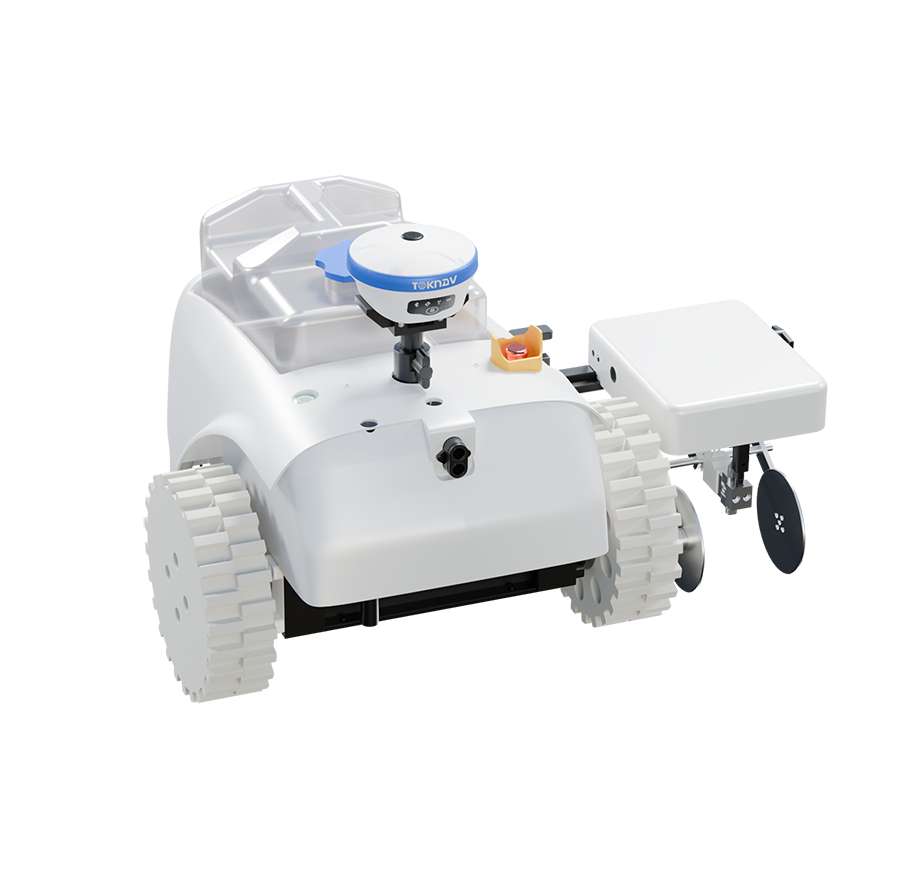
TR10Pro features to review before a demonstration
The July 7, 2026 TR10Pro datasheet lists field templates including soccer, American football, lacrosse and baseball, with custom template editing. It also lists an adjustable 5–15 cm nozzle and a 15 L paint tank. Confirm the exact supplied configuration, paint compatibility and field requirements before purchase.
Plan a demonstration around your field layout and working surface. Check the setup process, line placement, paint finish and battery needs under the conditions your team will use. Download the TR10Pro datasheet to prepare your questions.
Prepare a field or road-marking enquiry
- Describe the job: country, field or road type, working surface and expected repeat layouts.
- Provide the approved layout: dimensions, line widths, reference points and applicable local requirements.
- Check positioning: available corrections, communications, nearby obstructions and control verification.
- Plan operation: access control, operator training, paint preparation, cleaning and maintenance.
- Define acceptance: check the finished line locations, dimensions and consistency against the approved design.
Our field-marking workflow solution provides the broader planning context. If your project is earthmoving rather than painted lines, start with the machine-control and field-marking equipment guide and confirm the specific machine type.
Frequently asked questions
Does TR10 do the same work as TR10Pro?
No. Start with TR10 for road or layout pre-marking, and TR10Pro for sports-field marking. Confirm the actual task and configuration on the model page.
Is a line-marking robot a replacement for all layout checks?
No. The approved layout, positioning reference, operating process and finished-line acceptance still need to be verified.
What should a line-marking quotation include?
Ask for the robot model, software, required accessories, paint compatibility, training and support scope. Share your country and delivery needs so these items and the lead time can be confirmed for your configuration.
Request a line-marking configuration review
Share your application, country, surface, layout and expected quantity. We will use that context to review the relevant TR10 or TR10Pro path.